
Free download: the WISP Readiness Checklist for tax professionals. Get the checklist
Secure client portal

A secure, branded client portal that ends the document chase.

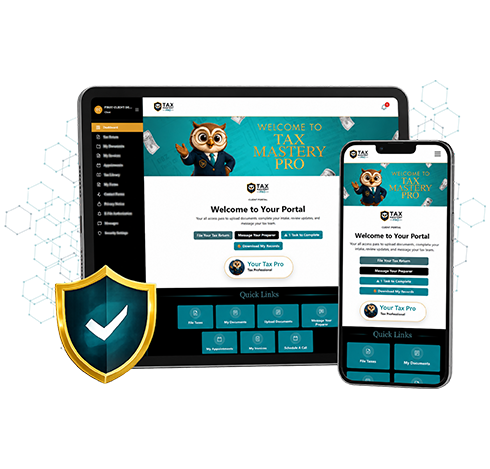
Stop collecting W-2s by text message and 1099s by email. Give every client a secure portal with your logo where they complete intake, upload documents, sign, pay and message your office.

Why email and text are a risk for your office

Tax documents contain Social Security numbers, income details and bank information. When they arrive as email attachments or photos in a text thread, they end up scattered across phones, inboxes and downloads folders. A secure client portal keeps that information in one protected place and gives you a clear record of what each client has sent.

What your clients can do in the portal

Clients can securely complete intake forms, upload tax documents, view your requests, sign documents electronically, receive invoices and communicate with your office. It works in a browser on their phone, tablet or computer, so there is nothing for them to download.

Your brand, front and center

The portal carries your business name, logo, colors, branded emails and a customized login experience. Your clients see your business, which makes your office look as professional as it is.
What you get

Everything your office needs in one place.

Online intake

Clients answer your intake questions before they arrive.

Secure uploads

Documents go straight to the right client file.

E-signatures

Engagement letters signed without printing or scanning.

Invoices and payments

Clients receive invoices in the same portal.

Client messaging

Conversations stay attached to the client record.

Permissions and tracking

Control who sees what and review activity.

Free download

Is your tax office WISP ready?

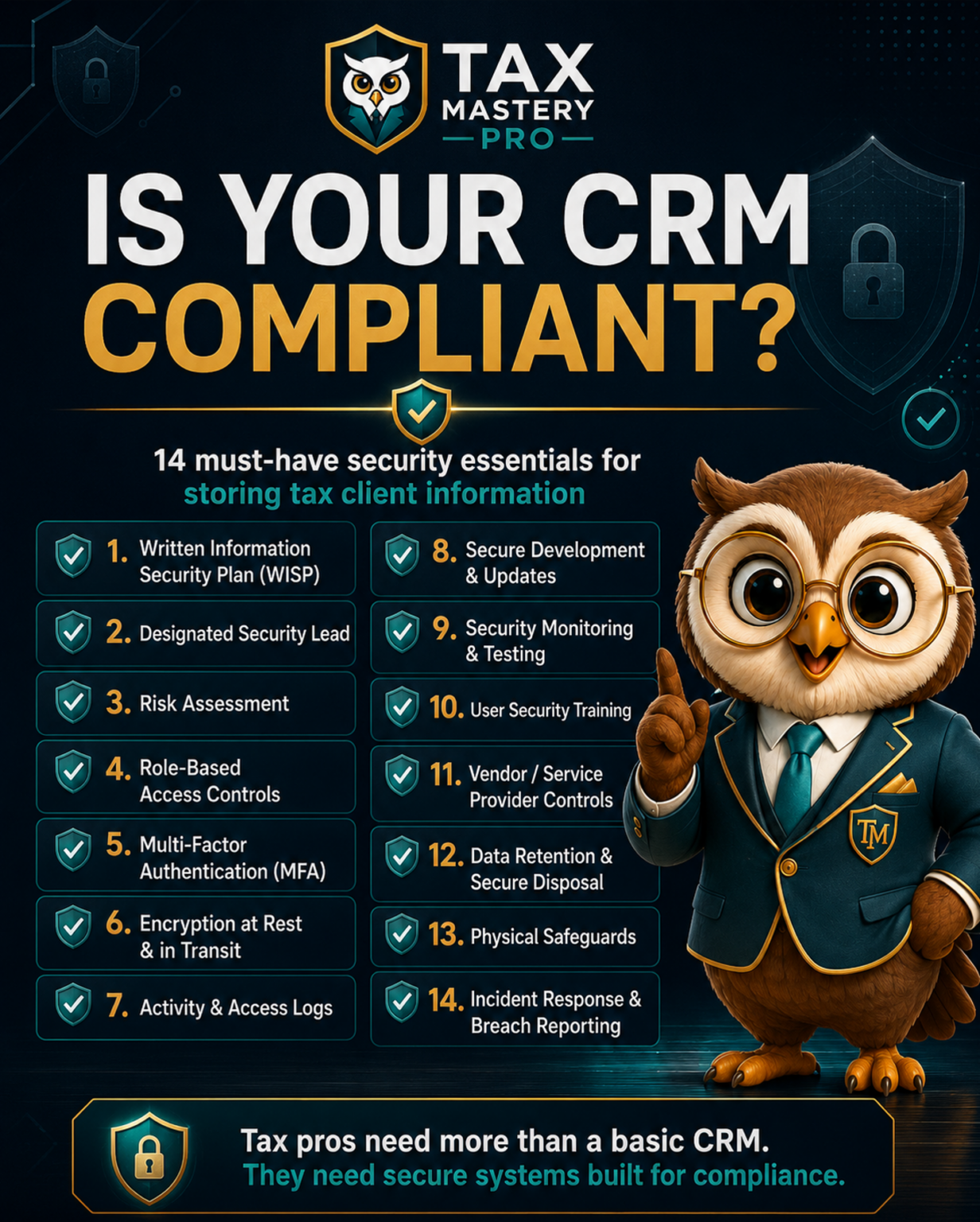
Federal rules require tax professionals to protect client data with a written information security plan. Our free checklist walks you through what the FTC Safeguards Rule and IRS guidance expect, in plain English, so you can spot the gaps before they become a problem.

  • The 9 required parts of an information security program
  • Access, encryption and multi-factor authentication checkpoints
  • What to do (and who to notify) if a breach happens
  • A printable checklist you can work through with your team
WISP Readiness Checklist

Get your free copy

Enter your details and the checklist opens instantly. We'll email you a copy too.

We respect your inbox. No spam, unsubscribe anytime.

FAQ

Common questions

Can my clients upload documents through the CRM?

Yes. Clients can securely complete intake forms, upload tax documents, view requests, sign documents, receive invoices, and communicate with your office through their client portal.

Will the portal be branded to my business?

Yes. Your CRM can include your business name, logo, colors, branded emails, and customized login experience so your clients and team see your business, not ours.

Do clients need to download an app?

No. The portal is web-based and works in a supported browser on a computer, tablet or mobile device.

Ready to run your office from one branded platform?

Plans start at $59 per month with unlimited clients and every CRM feature included.

View Plans