
Run your entire tax office from one branded platform.
Clients, documents, e-signatures, invoices, payroll and your whole team, all under your logo. Stop juggling ten different apps and start running the firm you actually want.
Web-based, nothing to download · Monthly plans, cancel anytime
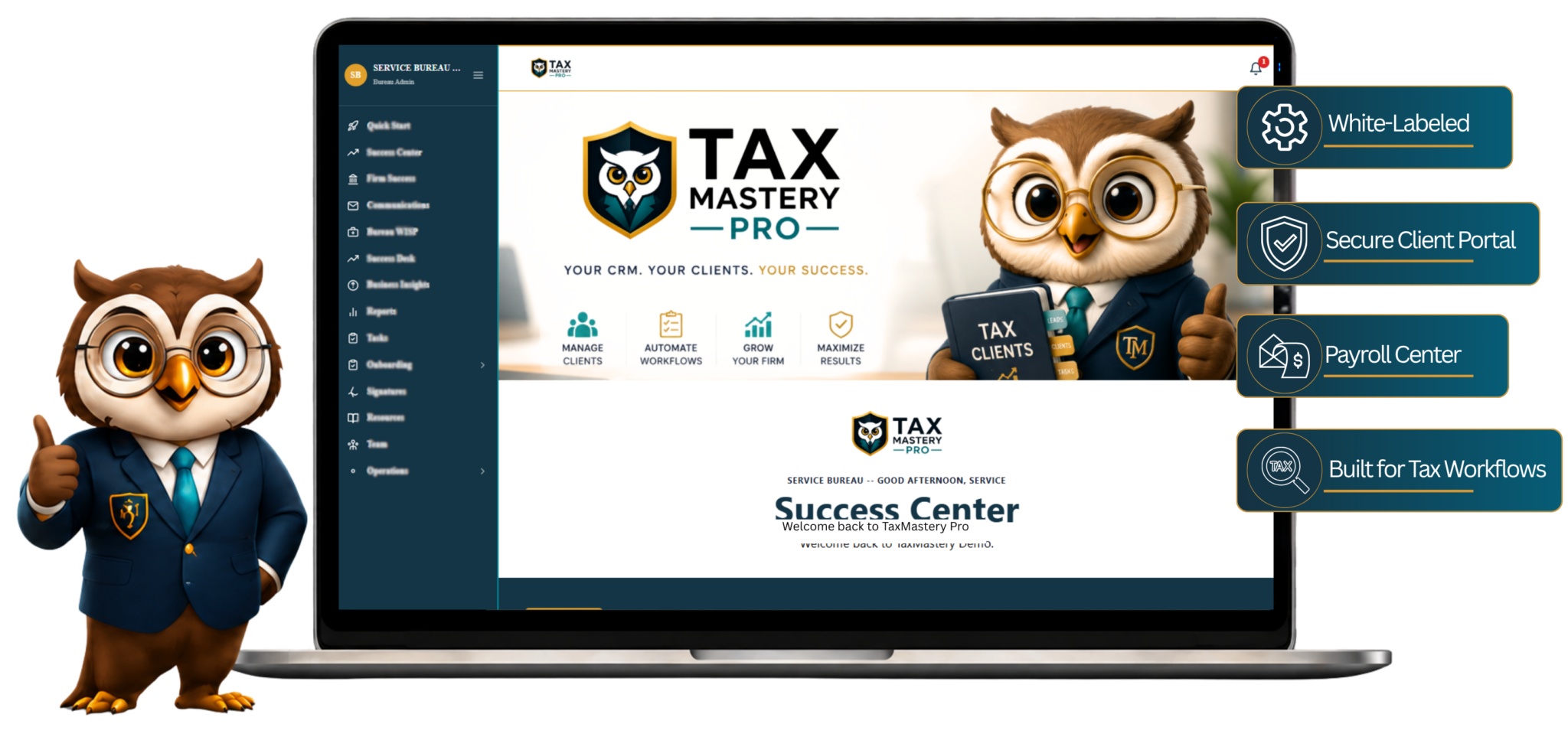
- White-labeled for your office
- Unlimited clients on every plan
- Secure client portal
- Built for tax workflows
Your tax office was never meant to live in ten different apps.
Every extra login, text thread and spreadsheet costs you time during the busiest months of the year. Tax Mastery Pro brings it all under one roof.
Without Tax Mastery Pro
- Client info scattered across texts, DMs and email
- Documents lost in downloads folders and camera rolls
- Separate tools for e-sign, invoices and scheduling
- Spreadsheets to track who is working on what
- A generic look that doesn't feel like your brand
With Tax Mastery Pro
- One secure portal for every client
- Intake, uploads and signatures in one place
- Invoicing, time tracking and payroll built in
- Preparers, rooms and permissions organized
- Your logo, your colors, your client experience
Everything your office needs. Nothing it doesn't.
From the first intake form to the final invoice, every tool is designed around the way tax professionals actually work.
Your logo. Your colors. Your portal.
Your clients see your business, not ours. Branded emails, a custom login experience and a portal that makes your firm look like the pro it is.
Get your branded CRM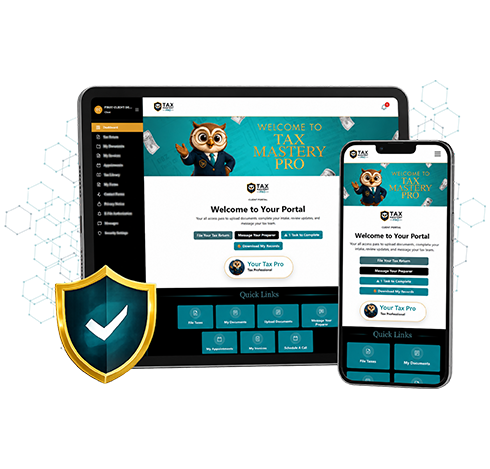
Client Management
Every client, return, note and file organized in one profile.
Branded Client Portal
Clients log in to your brand to upload, sign, pay and message.
Digital Intake Forms
Clients complete intake online before they ever walk in.
Secure Document Uploads
No more email attachments or blurry photos over text.
File Manager
Clean folders for every client and every tax year.
E-Signatures
Engagement letters and forms signed without the paper chase.
Invoicing
Send invoices and see what has been paid at a glance.
Time Tracker
Know exactly where your team's hours are going.
Payroll Center
Handle payroll from the same dashboard as everything else.
Team and Room Management
Add preparers, set permissions and organize your office.
Built from real tax office experience.
Not a generic CRM with "tax" slapped on it. Every screen was shaped by years of working inside busy tax offices.

Is your tax office WISP ready?
Federal rules require tax professionals to protect client data with a written information security plan. Our free checklist walks you through what the FTC Safeguards Rule and IRS guidance expect, in plain English, so you can spot the gaps before they become a problem.
- The 9 required parts of an information security program
- Access, encryption and multi-factor authentication checkpoints
- What to do (and who to notify) if a breach happens
- A printable checklist you can work through with your team
Get your free copy
Enter your details and the checklist opens instantly. We'll email you a copy too.
Up and running in three simple steps.
- 01
Choose your plan
Pick the plan that fits your team size. Every plan includes unlimited clients and every CRM feature.
- 02
Send us your branding
Follow the onboarding instructions to submit your logo, colors and business details.
- 03
Launch and invite clients
Open your branded portal, add your preparers and start collecting documents the smart way.
Which plan is right for your office?
Answer three quick questions and we'll point you to the best fit.
Question 1 of 3
What best describes your business?
Question 2 of 3
How many people prepare returns in your office?
Question 3 of 3
How much document storage do you expect to need?
Your recommendation
We recommend the Nest plan
Want this in your inbox?
We'll email your recommendation plus the free WISP Readiness Checklist.
Simple pricing. Serious power.
Every plan includes unlimited clients and all CRM features. Choose based on the size of your team.
Hatching
Solo pros getting organized
+ $599 one-time setup
- Up to 5 preparers
- Unlimited clients
- 25 GB storage
- All CRM features
Nest
Growing tax teams
+ $799 one-time setup
- Up to 15 preparers
- Unlimited clients
- 100 GB storage
- All CRM features
Parliament
Multi-preparer firms
+ $999 one-time setup
- Up to 50 preparers
- Unlimited clients
- 500 GB storage
- All CRM features
Enterprise
Large and multi-office operations
+ $1,299 one-time setup
- Unlimited preparers
- Unlimited clients
- Unlimited storage
- All CRM features
Monthly plans, cancel anytime. Not sure which plan fits? Book a demo and we'll help you choose.
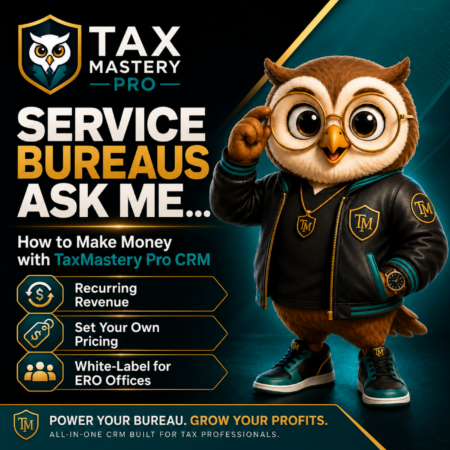
Turn a CRM into a new stream of recurring revenue.
Offer a fully branded CRM to every ERO office in your network. You set the monthly price and setup fees, your offices get the tools they need, and you oversee everything from one centralized service bureau portal.
Your Pricing
Set your own monthly fees and setup fees.
Your Brand
Each ERO gets its own logo, colors, emails and dashboard.
Your Profit
Build monthly income without building a CRM from scratch.
See it live before you commit.
Pick a time for a Zoom walkthrough. We'll show you the key features, answer your questions and map the CRM to your office workflow.
What is Tax Mastery Pro CRM?
Tax Mastery Pro is an all-in-one client relationship management system designed specifically for tax professionals. It helps you manage clients, preparers, documents, appointments, invoices, signatures, workflows, and more from one secure platform.
Will the CRM be branded to my business?
Yes. Your CRM can include your business name, logo, colors, branded emails, and customized login experience so your clients and team see your business, not ours.
Who can use Tax Mastery Pro?
Tax Mastery Pro is built for solo tax professionals, growing tax firms, EROs, multi-office businesses, and service bureaus.
Do I need to download any software?
No. Tax Mastery Pro is web-based and can be accessed through a supported internet browser from a computer, tablet, or mobile device.
Can my clients upload documents through the CRM?
Yes. Clients can securely complete intake forms, upload tax documents, view requests, sign documents, receive invoices, and communicate with your office through their client portal.
Can I add preparers and team members?
Yes. You can add preparers and authorized team members based on the limits included with your plan. User permissions help control what each person can access.
Does Tax Mastery Pro integrate directly with tax software?
Tax Mastery Pro currently operates independently from tax preparation software. Direct integrations with select tax software providers may be added in the future.
Is Tax Mastery Pro designed to support compliance?
Yes. The CRM includes compliance-focused features such as secure document management, user permissions, activity tracking, electronic signatures, and tools that support your office's security procedures. Each firm remains responsible for maintaining its own WISP, policies, safeguards, and regulatory compliance.
Can Tax Mastery Pro replace the other apps I use?
Tax Mastery Pro combines many common tax-office tools into one system, including client management, document collection, electronic signatures, invoicing, appointments, communication, workflows, preparer management, and more.
Do you offer training and onboarding?
Yes. New customers receive onboarding instructions to help them submit their branding, business information, and setup details. Additional walkthroughs and support resources may also be available.
Can I cancel my plan?
Yes. Monthly plans may be canceled at any time. Setup fees and payments already made are nonrefundable.
Can I download my business records if I cancel?
Yes. You can download your business documents and available records before your account is closed.
Can I schedule a live CRM demonstration?
Yes. You can schedule a Zoom demonstration to see the CRM, review key features, ask questions, and learn how the platform can fit your tax-office workflow.
Do you offer plans for service bureaus?
Yes. Service bureaus can provide branded CRM accounts to their ERO offices, set their own setup fees and monthly pricing, and create an additional revenue stream.
Can service bureaus manage all their ERO offices in one place?
Yes. Service bureaus receive a centralized dashboard where they can oversee participating ERO offices, communicate with firms, review activity, and manage their CRM network.
How do I get Service Bureau pricing?
Service Bureau plans are customized based on the number of offices and the features your organization needs. Contact us for pricing and plan options.
Your tax office deserves more organization and fewer apps.
Give your clients a polished, branded experience and give your team one powerful system built for the way tax professionals work.
Let's find the right fit for your tax business.
Solo preparer, growing firm, ERO or service bureau, tell us about your office and we'll help you choose the best setup.
- Phone(682) 699-1610
- HoursMon to Fri, 9am to 5pm
Send us a message
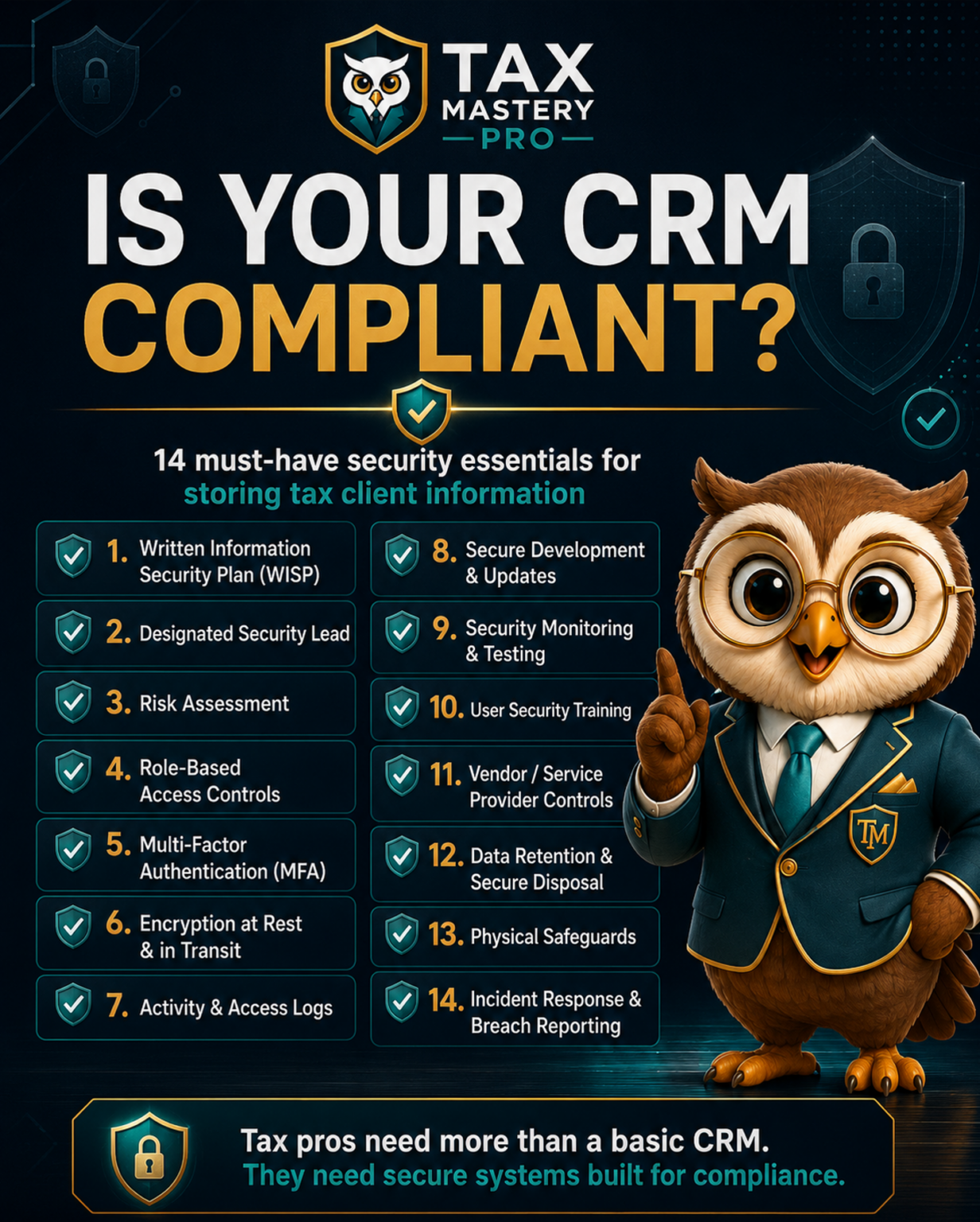
Grab the free WISP Readiness Checklist
See exactly what the FTC Safeguards Rule expects from your tax office, and where you might have gaps. Takes 10 seconds.